
Table of Contents
- Introduction: The Uninvited Eavesdroppers
- What AI Notetaker Apps Actually Do (and Why It Matters)
- Managing the Risk of AI Notetaker Apps
- Frequently Asked Questions (FAQs)
- Learn More
Introduction: The Uninvited Eavesdroppers
Imagine you attended this month's IT Steering Committee meeting. During the discussion, you covered a broad range of sensitive topics: vendor risk issues, internal control gaps, incident response plans, and maybe even customer impact.
You return to your desk after the meeting and open your inbox. As you begin to sift through 400 new emails, one subject line catches your attention:
IT Steering Committee: Meeting Notes and Transcription
You open the message and quickly realize two things. First, the email was generated by AI. Second, the full meeting transcription and summary were automatically sent to everyone on the calendar invite, including a shared inbox, John's personal email account, and your auditor, who now has a verbatim record of discussion about recent findings that only happened because she couldn't make it to the meeting.
This scenario is becoming increasingly common. AI notetaker apps are showing up in Board meetings, committee meetings, customer calls, and more. If this sounds familiar, you're not alone. (Literally. There's probably an app listening nearby as you read this.)
The issue isn't the use of AI itself. It's that these tools are being widely adopted without clear approval, oversight, or an understanding of how sensitive information (including customer data) may be recorded, stored, and shared.
For financial institutions, that gap matters. When customer nonpublic information (NPI) enters the picture, GLBA obligations follow whether the tool was formally approved or not.
So, what can financial institutions do about it? Let's take a closer look.
What AI Notetaker Apps Actually Do (and Why It Matters)
At their core, AI notetaker apps take meeting minutes to the next level. Many of these tools can:
- Record live audio and video
- Transcribe conversations and generate summaries
- Identify and distinguish between speakers
- Categorize and perform active research on key discussion points
- Determine lessons learned and action items
- Automatically distribute meeting notes
- Send follow-up reminders to attendees
From a productivity standpoint, the appeal is pretty clear. But to deliver that convenience, the app owner may (often implicitly) allow the tool to do things that matter far more from a governance, risk management, and compliance (GRC) perspective.
For example, to achieve these functions, the tool may:
- Store meeting recordings, transcripts, and details in the vendor's systems
- Retain meeting data indefinitely by default
- Access and store personal information about meeting attendees
- Use meeting data to train or improve AI models
- Share meeting data with unintended recipients
- Integrate with existing approved collaboration apps (e.g., Teams, Zoom, etc.)
Now, consider the types of information commonly discussed during meetings.
| Topic | Examples |
| Business Data | Financial forecasts, strategic plans, succession planning |
| Customer Data | New accounts, customer feedback, nonpublic personal information |
| Employee Data | Recent hires and terminations, training outcomes, HR records |
| GRC Data | Risk assessments, policies, audit findings, business continuity plans |
| Technology Data | System acquisitions, legacy platforms, known vulnerabilities |
| Vendor Data | Selection processes, due diligence results, security incidents |
Many of these data types may be subject to various legal and contractual obligations, including regulatory requirements, nondisclosure agreements, and internal policies.
Since AI notetaker apps promise personal efficiency, they often enter the environment quietly. The issue with this isn't that an AI system is being used. The issue is that controlled data is being accessed, transmitted, stored, and shared in an uncontrolled manner.
Managing the Risk of AI Notetaker Apps
This is where many financial institutions unintentionally cross into GLBA territory. If a system comes into contact with regulated data, the system needs to be protected.
To that end, here are four key steps to start managing the risk of AI notetaker apps.
Step 1: Discover What's in Use
You can't manage (or secure) what you don't know exists, so the first step is gaining visibility into which tools are being used across the organization.
"Shadow IT" has long been a challenge with software and AI tools, but it is especially common with AI notetaker apps. These tools often live on meeting participants' personal devices, including employee, Board Member, and third-party devices.
That said, some practical ways to improve visibility include:
- Encouraging personnel to self-report AI tool use
- Conducting periodic surveys focused on AI and automation
- Asking about AI use during the business impact analysis (BIA) process
- Monitoring app installations on company-managed devices (via MDM or MAM)
- Reviewing network traffic, where feasible, to identify unapproved tools
Another way to approach this would be to select and approve a company AI notetaker app. If personnel know there's an authorized tool available, it may reduce the perceived need to rely on personal devices or unauthorized apps.
The goal isn't to catch people doing the wrong thing or to take a purely prohibitive approach. It's to understand where AI is coming into contact with your data so risk can be assessed and appropriate controls can be applied.
Step 2: Document in Inventories
If an AI notetaker app is accessing or storing sensitive business or customer information, it should be treated like any other system or vendor that touches your data because, functionally, that's what it is.
So, once you've identified which AI notetaker apps are in use, the next step is to formally add them to your inventories, such as your IT asset inventory and vendor service inventory. This step isn't just about documentation. It's about clarifying system and data ownership, identifying dependencies, understanding access, and assessing criticality.
Step 3: Evaluate Risks
The next step is to evaluate the risks associated with each AI notetaker app.
- If customer nonpublic personal information (NPI) is involved, you may need to perform a GLBA risk assessment. Consider potential risks such as unauthorized disclosure, compromised credentials, system disruptions, and human error.
- You should also assess risks associated with the vendor relationship itself, including strategic, operational, and compliance risks.
The purpose is to identify key risks to the system, the data, and the organization, so you can focus on controlling the risks that matter most.
Step 4: Apply Controls
Once you've assessed the risks associated with AI notetaker apps, the next step is to implement controls that reduce those risks to an acceptable level.
While this isn't an exhaustive list, some key areas to focus on include:
- Vendor Due Diligence: Review user agreements, privacy policies, and SOC reports to understand how the vendor stores, retains, and secures your data.
- Authentication and Access Controls: Limit who can access and use the app. Require the use of organization-managed accounts and implement multi-factor authentication, when possible.
- Configuration Management: Securely configure the app to restrict what it can access, what it can integrate with, and how it handles your data. Existing meeting applications should also be configured to limit which tools can join your meetings.
- Model Validation: Manage model risk to confirm the AI is behaving as expected. Opt out of using your data for model training, when possible, and verify that transcripts, summaries, and action items are accurate.
- Security Awareness Training: Educate staff and Board Members on approved (and unapproved) tools and use cases. Prohibit the use of personal devices or unapproved apps for meetings in which sensitive content is expected to be discussed.
- Meeting Disclosure: At the beginning of each meeting (or a relevant part of the meeting), read a brief statement reminding participants that recording is not permitted without authorization. This sets clear expectations and helps limit risk, in the event an AI notetaker is being used.
By implementing controls like these, you can mitigate the security and compliance risks while still benefitting from the productivity gains these tools offer.
Frequently Asked Questions (FAQs)
Q: Are AI notetaker apps allowed in financial institutions?
A: It depends. AI notetakers themselves are not prohibited, but their use must comply with regulations, agreements, and internal policies.
Q: What do regulations and guidance say about AI notetaker apps?
A: Current regulations don't specifically mention AI notetakers. Most guidance, like the FFIEC IT Examination Handbook, focuses on general security principles and applying those principles to whatever technology you use, AI notetakers included.
Q: How can I tell if an AI notetaker app is being used?
A: Many AI notetakers can go undetected, especially if they're being used on personal devices. You can increase visibility by encouraging self-reporting, conducting periodic employee surveys, and monitoring organization-owned systems for use.
Q: Can I allow employees to use AI notetakers on their personal devices?
A: Personal devices are difficult to secure and monitor, which increases the risk of data exposure. If use of personal devices is allowed, strict controls and monitoring are essential.
Q: Do AI notetaker apps store or share data outside my organization?
A: Many do. They may store data on vendor systems and use meeting content to train AI models. Understanding storage, retention, and sharing practices is critical to managing this risk.
Q: What should I do if an AI notetaker accidentally shares notes with the wrong person?
A: Treat it like any other security incident, similar to misdirected emails or documents. Your incident response plan should define detection, response, recovery, and communication guidelines for situations like these.
Q: What should I do if someone is using an AI notetaker in an external meeting?
A: You may not be able to control what others use, but you can still protect sensitive data. Ask the meeting owner if an AI notetaker is being used and how the data will be handled. If you're unsure, avoid sharing sensitive business or customer data in the meeting, and if possible, consider hosting the meeting yourself using only approved tools.
Learn More
To learn more about securing AI systems, download our free Artificial Intelligence Risk Management Workbook. This guide is designed to help you identify, assess, and manage risks associated with AI systems and is designed specifically for community financial institutions.
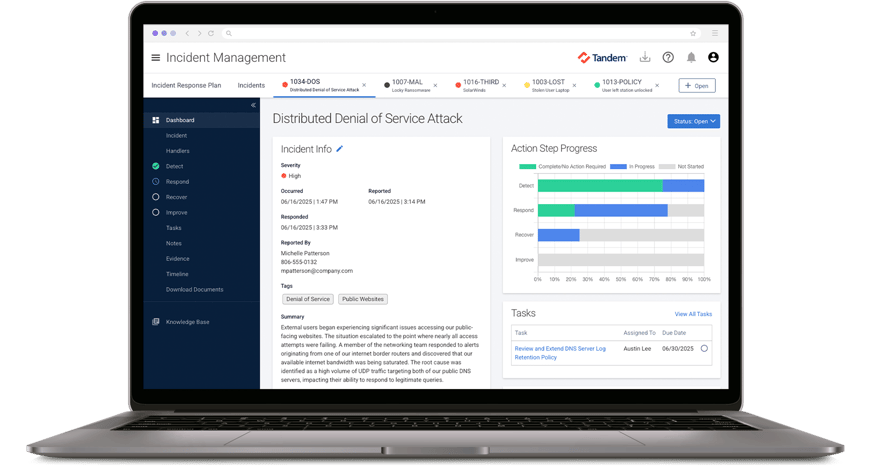
If you're ready to take your AI risk management to the next level, check out Tandem. Tandem is an information security GRC application, designed to help you create an IT asset inventory, conduct risk assessments, define controls, oversee vendors, manage incidents, and train your team on relevant security awareness topics.
Watch a demo to see how Tandem can help you at Tandem.App/Demos.